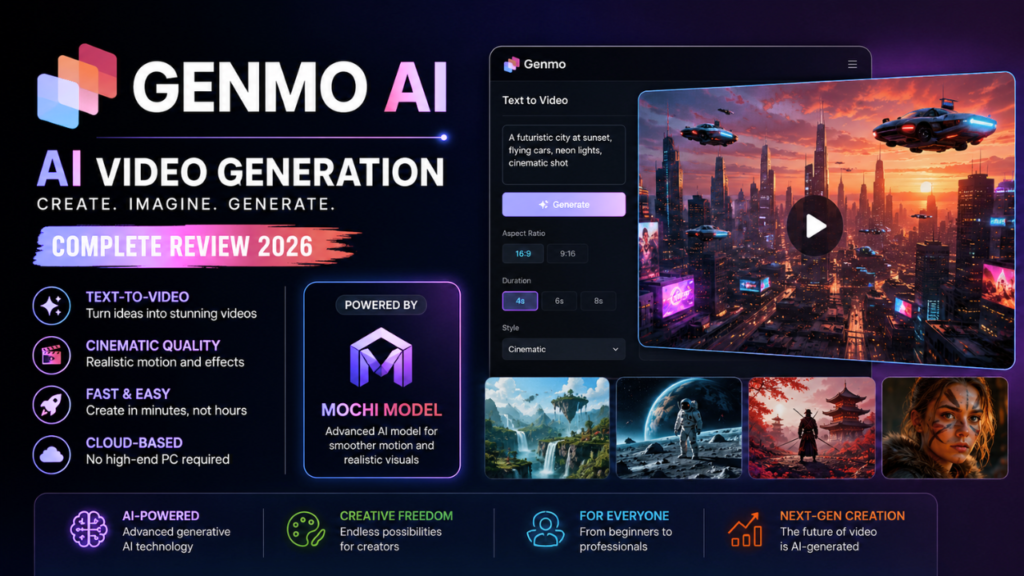
One of the most popular trends in 2026 is AI Video Generation, and Genmo AI is winning tons of hearts. It works with individually developed innovative technology that helps users in text-to-video production of high-quality animated and other open special visual audiovisual content designed for creative purposes.
This is because, quite unlike traditional editing software, where you need to physically create the video, this platform uses artificial intelligence to post-process and generate motion, effects, and scenes right off the bat. There are now YouTubers and marketers, AI artists, and filmmakers all using some form of AI-powered tool to expedite the process while enhancing production quality.
The growing popularity of platforms such as YouTube Shorts, Instagram Reels, and TikTok making the short video format an ideal vessel for creators to ship their messages has further added fuel to the rising success of artificial intelligence video generators. Users will be able to generate creative clips in minutes rather than manually editing it for hours.
What Is Genmo AI?
Genmo AI is an AI video generator that enables you to create videos, animations, and cinematic scenes from text prompts or images. After launching robust generative video models that could create a realistic motion and visualize high-quality storytelling, the platform gained serious traction.
It is mostly an AI-powered creativity tool. Users only employ simple prompts to describe scenes, not traditional editing timelines. The AI is then capable of turning these prompts into cinematic motion stills, adding cinematic effects, lighting, and even animating the scene.
The platform is particularly popular with:
- Content creators
- Digital artists
- YouTubers
- Marketing agencies
- Social media influencers
- Indie filmmakers
- Designers and developers
The system automates large parts of the creative process, which is in contrast to traditional video editing tools. For instance, users could create scenes that would normally take expensive equipment, animation teams or VFX production software.
Also Read: Hotpot AI Guide | Pixverse AI
Why Genmo AI Became Popular
With the advent of generative AI tools, the demand for AI-generated videos has skyrocketed. On the other hand, several early platforms offered poor motion quality and unrealistic rendering. Genmo AI attracted notice because the movies it created appeared a lot smoother and more cinematic than many contenders.
The platform notably integrates creativity with simplicity, which is something creators have cherished. Even an amateur user, based on simple queries, uses without professional editing skills to generate appealing video clips.
Key Reasons Behind Its Growth
- Easy text-to-video workflow
- Fast rendering process
- Cinematic-style visuals
- AI-generated motion effects
- Beginner-friendly interface
- Support for creative storytelling
- Growing creator community
So does every art-based creator using the platform for concept art, short and long films, marketing campaigns, and other experimental AI projects.
Core Features of Genmo AI
The platform includes several powerful features designed to make video production easier with artificial intelligence.
| Feature | Description |
| Text-to-Video Generation | Creates videos using written prompts |
| AI Motion Rendering | Generates realistic motion and animation |
| Cinematic Effects | Adds dramatic visual effects automatically |
| Image-to-Video Support | Converts static images into moving scenes |
| Creative AI Models | Supports advanced generative AI workflows |
| Cloud-Based Processing | No high-end PC required |
| Fast Rendering | Produces clips quickly compared to traditional editing |
These two points keep the platform quite attractive for both beginner and advanced creators.
How Genmo AI Works
It is a little easier than conventional editing software when it comes to the workflow. For this, users enter a descriptive prompt that describes the video they want to generate. The AI examines the prompt and generates animated scenes according to the information given in your description.
All users need to do is describe anything from cinematic environments to futuristic cities, fantasy landscapes, or animated characters, for example. Next, it runs machine learning models on us who have trained our algorithms on billions of images to generate visuals.
A lot of creators play with very advanced prompts to get more cinematic results. This made prompt engineering a key skill in terms of extracting the best video quality possible.
In certain situations, it’s also capable of enabling image-based workflows, turning still images into vibrant moving scenes.
Genmo AI and the Mochi Model
Among the most talked-about models on the platform is Mochi, a video generation model. This special AI model introduces realism, motion consistency, and visual quality.
The mochi model is heavily top-down in better video transitions and achieving smoother cinematic movement. While older AI video systems could produce flickering or unnatural animations, new generators are focused on making them more realistic.
The Mochi system, however, is credited by some creators with establishing the platform as a serious contender for AI video generation.
This model is especially useful for:
- Cinematic storytelling
- Short AI films
- Experimental animation
- Creative visual effects
- Social media content creation
The platform has taken the internet by storm, gaining popularity with AI artists.
User Experience and Interface
The most powerful part of the platform is how simple it is to use for beginners. It isn’t complex editing software for professional use, but the dashboard is simple and attainable, unlike many other apps.
About a month ago, Makeroom launched as an AI video-generating platform that allows users to create videos in only a couple of steps:
- Enter a text prompt
- Select video style
- Choose rendering settings
- Generate the clip
- Download or share content
It makes the platform appealing to non-technical users looking for an AI-powered solution without much fuss and with quick results.
It is also a cloud-based interface, which means creators do not need fancy hardware or expensive GPUs to generate the videos.
Advantages of Using Genmo AI
It includes several advantages that modern creators and businesses are eager to capitalize on.
Major Benefits
- Saves time in video production
- Reduces editing complexity
- Enables creative experimentation
- Produces cinematic visuals quickly
- Useful for social media marketing
- Accessible to beginners
- No advanced editing skills required
If you are a content creator who publishes videos often, AI tools save tons of work on the production end.
Limitations and Challenges
While the tech is cool, AI video generation still has its limitations. Inconsistency in the generated motion is one of the issues. Some complex prompts yield scenes that are warped or faces that seem to be laughing.
Rendering quality when working with longer videos is also another hurdle. Shorter sections tend to feel tighter, while longer stretches can get sloppy. Limitations of some users mentions are also about:
- Rendering credits
- Queue times
- Prompt restrictions
- Watermarks on free plans
- Limited editing control
Even with these problems, the technology is progressing more rapidly than at virtually any time in history.
Pricing and Subscription Plans
As with many AI platforms, the service generally has some sort of credit or subscription-based structure. Free users can generate limited videos, while premium plans offer higher rendering quality and add-ons.
Pricing often depends on:
- Video length
- Rendering quality
- GPU processing usage
- Generation speed
- Export resolution
Premium users often get early access to new AI models and creative tools.
Who Should Use Genmo AI?
So basically, the platform can be used by anyone and everyone.
Ideal Users
- YouTubers creating short videos
- Digital marketers
- AI art enthusiasts
- Indie filmmakers
- Designers and animators
- Startup founders
- Social media creators
In addition, companies use AI-generated videos for advertising, product demonstrations, and brand promotion.
Genmo AI vs Traditional Video Editing
In traditional video editing, this includes manually cutting, transitions, animation, and rendering. These steps are hugely simplified by AI-powered tools.
But professional editing software still offers tighter creative control. AI videos are primarily designed for fast content generation or experimental media instead of elaborate cinematic productions.
Most of the creators combine AI generation with reputable editing software to fine-tune the final product.
AI Video Generation
The technology around AI-generated video is coming along at an almost frightening pace. The next few years are expected to bring large advances in realism, motion consistency, voice sync, and scene generation.
AI will have the ability to create entire movies, commercials, and animated shows with little human interaction in the future.
Existing platforms have already proven how artificial intelligence is shaking up the creative space. Given they grow exponentially in computing power, video decoded will convert one of these into a value that you can effectively anticipate.
The increasing demand for AI-generated content indicates these tools are bound to enter the mainstream game in marketing, entertainment, gaming, and education.
Is Genmo AI Safe to Use?
Generally, most users view the platform as a fairly safe space for creative exploration. However, as with any AI tool, review privacy policies & content guidelines.
Avoid content that is copyrighted or deceptive. Discussion around the ethical use of AI continues within the industry.
A lot of organizations are starting to implement stronger AI content guidelines to prevent abuse of such material, whether done willfully or by accident.
Best Practices for AI Video Output
Generating powerful AI videos is often a waiting game in writing detailed prompts.
Useful Prompt Tips
- Use descriptive cinematic language
- Mention lighting and camera angles
- Specify motion style
- Add environmental details
- Keep prompts organized
- Experiment with multiple versions
Experienced users spend time perfecting the prompts to make them visually consistent and the storytelling better.
Why Genmo AI has attracted the Interest of AI Creators
Creators of AI are always on the lookout for platforms that can generate novel imagery in a short amount of time. This attracts artists because the platform promotes innovation and creativity.
These tools are used by many users to publish AI- generated films, music videos, and visual art projects. Being able to film movie-like scenes without budgeting for expensive production gear is super convenient.
So, in the sense that it is also nurturing this burgeoning movement toward more AI-assisted creativity instead of purely manual production flows.
Also Read: Haiper AI | SeaArt AI Explained
Conclusion
Genmo AI is one of the most-watched & talked-about 2026 AI video generation platforms because of its cinematic rendering capabilities, beginner-friendly workflow & advanced creative AI models. They made it international, promoting to creators, marketers, and filmmakers who want its ability to create stunning video clips from text prompts.
However, machine learning and data analysis are advancing at a rapid pace, while AI-generated videos will still face drawbacks for an extended time. But platforms such as this are an example of how it is digital creativity and modern content production that artificial intelligence today is starting to reform. The sophistication of AI video creation opens the door to increasingly life-like graphics, better articulation, and more efficient processes going into the next few years.
Frequently Asked Questions (FAQs)
1. What is Genmo AI used for?
This is primarily used in AI video creation, cinematic animation, and text-to-video.
2. Is Genmo AI free?
The platform usually provides only a limited amount of free access, and advanced capabilities need paid subscription.
3. Can beginners use Genmo AI?
The interface is simple and designed for prompt-based workflows, so yes.
4. Do I need a computer to use Genmo AI?
The platform is cloud-based, and therefore, most processing is done online
5. Is AI Video Generation the Future?
AI video tools are booming and are seen as the future of content creation.