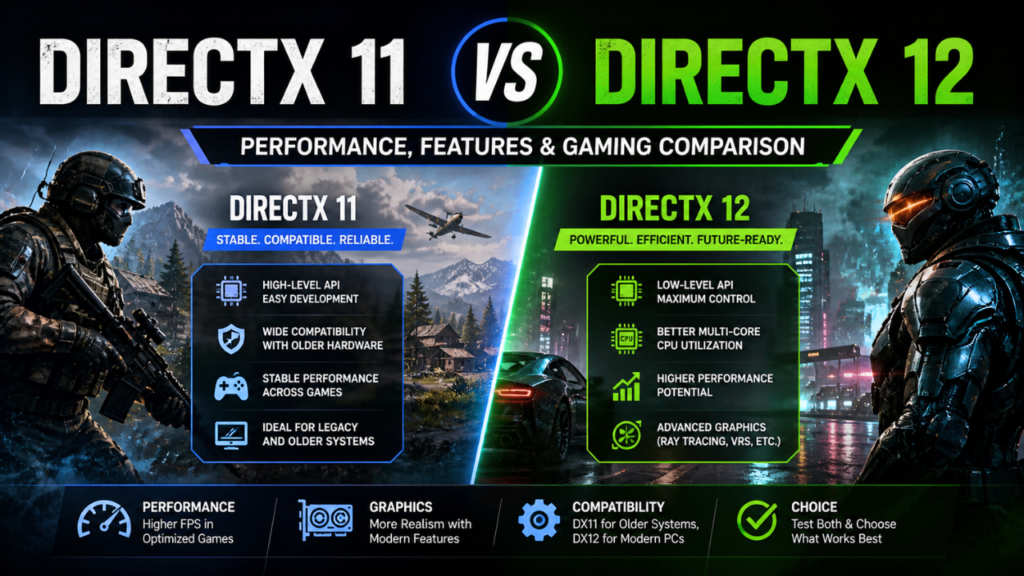
Gamers looking for better performance and smoother gameplay, the comparison of DirectX 11 vs 12 is widely searched. Microsoft wrote the DirectX API to act as an intermediary between games and hardware like CPUs and GPUs. This allows games to run smoothly regardless of the system as developers don’t need to write hardware-specific code.
As DirectX 11 became quite stable and actually started being compatible with most GPUs from the mid-range, it settled into a longer period of being the de facto standard. DirectX 12, with its support for advanced hardware features, was added later to boost performance. DX11 is still a safe fallback for a lot of systems, but DX12 can provide more efficiency and better visuals. It is up to your hardware, the game, and yourself which one you pick.
DirectX Basics and Why It’s So Important
Before delving into DirectX 11 vs 12, it is essential to know how DirectX functions. It serves as a middleware between games and hardware, making development easy and allowing for old devices to work with new hardware.
DirectX 11 is a high-level API, which makes it easy for developers and for an end user to be stable. Now, DirectX 12, on the other hand, takes this lower level of control over hardware and puts it in more developers’ hands, allowing for better performance (if they know what they’re doing). This is also the reason that some selected games are more optimized for DX12, and others perform better using DX11.
Also Read: ICAL CapCut Template | Honista APK
DirectX 12: Evolution From DirectX 11
Moving on from DirectX 11 to DirectX 12 is a departure from simplicity towards performance tuning. DX11 is more about being easier to use and providing consistent results, while DX12 is more focused on efficiency and feature set expansion.
This evolution shows the demands of modern gaming, which is that CPUs and GPUs are just getting more powerful, but there needs to be a better leveraging of those parts. The DX12 capability just allows games to push the hardware further, but it adds complexity in development. Hence, not all games can utilize the newer API to its fullest potential.
Main Point Of Difference: Direct X 11 VS 12
Here are some technical differences to talk about that define how DirectX 11 vs 12 works in games:
- With a high-level API structure, DirectX 11 is easier to develop and thus more stable
- DirectX 12 is a game-changer; it has a lower-level API for deeper hardware control
- DX12 allows for more efficient multi-core CPU usage
- DX11 is more single-thread dependent
- Asynchronous and parallel computing come to DX12
- DX11 treats things in a serial manner
These differences have a direct impact on the efficiency of games and the use of system resources, especially as modern processors are multicore.
Performance Comparison: Which Is Faster?
The most important factor at all with DirectX 11 vs 12 is performance. For that, DirectX 12 is typically more efficient with the intent of lowering CPU overhead and maximizing GPU utilization. This can result in significant FPS improvements in well-optimized games.
But results depend on the match in question. In a few cases, very little gain is observed, with DirectX 11 actually giving better performance due to increased (and more efficient) optimization. DX11 is mature and solid, but DX12 performance will vary wildly based on how well developers implement it.
Graphics and Visual Enhancements
From a graphics standpoint, either API can produce high-quality graphics. On the other hand, DirectX 12 brings ray tracing and variable rate shading as well as improved lighting techniques. These features improve the realism on supported games.
And that brings us to the visual fidelity, which, of course, depends on the game engine. The difference between DX11 and DX12 may be small if a game doesn’t take advantage of any DX12-specific features.
DirectX 11 vs DirectX 12 Comparison
| Feature | DirectX 11 | DirectX 12 |
| API Type | High-level | Low-level |
| CPU Usage | Limited multi-core use | Full multi-core utilization |
| GPU Efficiency | Moderate | High |
| Performance | Stable but limited | Potentially higher FPS |
| Graphics Features | Basic modern features | Advanced features (Ray Tracing, VRS) |
| Ease of Development | Easier | More complex |
| Stability | Highly stable | Depends on optimization |
Hardware Compatibility and Requirements
The hardware that you run your pc/laptop on dictates a lot of things, and most importantly, DirectX 11 vs 12. So for low-end setups, DirectX 11 is the safer option, and older systems/GPUs run really well with it.
DirectX 12 is built from the ground up for modern hardware and consequently only works with specific OS levels and GPUs. DX12 benefits multi-core CPUs and non-terrible GPUs; older systems often do better with DX11.
When to use DirectX 11 and DirectX 12
Which version to choose will depend on your system and the game. Here are some practical guidelines:
- DirectX 12 is Used for Newer Games with Modern Hardware
- Pick DX12 for FPS gain and extra graphics features
- If you encounter crashes or other instability, use DX11
- Prefer DX11 on legacy hardware or lower-tier systems
- Use more games in both versions for the best performance
Those points feed into the fact that performance can change, and both are worth testing.
Game Optimization and Developer Role
Optimization is important in the DirectX 11 vs 12 war. More control but more complex DirectX 12. On the other hand, failure in optimizing can result in degraded performance instead of improving.
Contrary to this, simpler APIs like DirectX 11 usually provide consistent performance. That is why a lot of developers have opted to stick with it in addition to DX12.
Real-World Gaming Experience
However, results for actual gaming vary considerably. For some players, DX12 delivers higher FPS numbers and smoother gameplay than DX11, but many are struggling with stuttering or stability issues.
Several gamers believe you should try both APIs in the same game. This can help assess which version is more suitable for a certain system configuration
Future of DirectX Technology
DirectX 11 vs 12 future clearly, with the benefit of more data hints at DirectX 12. Towards Never-Ending Realism Gaming is more immersive than ever due to technologies like DirectX 12 Ultimate. Next-generation games are shaped by ray tracing and other forms of advanced rendering techniques.
DirectX12 can probably only be the default with hardware evolving at this rate. However, DirectX 11 will still be useful for older machines and legacy games.
Also Read: Classplus | Apkek Org
Final Thoughts
DirectX 11 vs 12 will ultimately be a matter of performance demands, hardware, and game optimizations. DirectX 12 is more efficient and supports new features, making it excellent for modern systems.
It offers, at the same time, a stable experience (especially in older hardware) without breaking all current compatibility with DirectX 11. Testing both is the easiest way to find what setting works best for you while gaming.
Frequently Asked Questions (FAQs)
1. Which one is better, DirectX 11 or DirectX 12?
Overall, DirectX 12 is better for modern hardware and advancement, but DirectX 11 offers more stability and performs great on older systems.
2. Does DirectX 12 increase FPS?
Yes, in optimized games, DirectX 12 can deliver greater FPS through more efficient use of CPU and GPU resources.
3. Why do some games perform better on DirectX 11
While game optimization is better under DirectX 11, making it stable and consistently performing.
4. Is DirectX 11 Better Than 12?
You can test DirectX 12 if your hardware supports it, though switch back to DirectX 11 if you experience issues.
5. But do modern games even require DirectX 12?
There are many more modern games now that will actually use DirectX 12 if and when they support it, but not all of them. Many still perform admirably under DirectX 11.